Your coding stats,including private work.
Type your GitHub handle and see your year in 5 seconds. No sign-in.
Your commits and lines, next to your friends'. Commits, lines per day, active repos, streaks and stars, ranked per week, month or year.
Private and work repos count too, without a GitHub token. A year of history the minute you link.
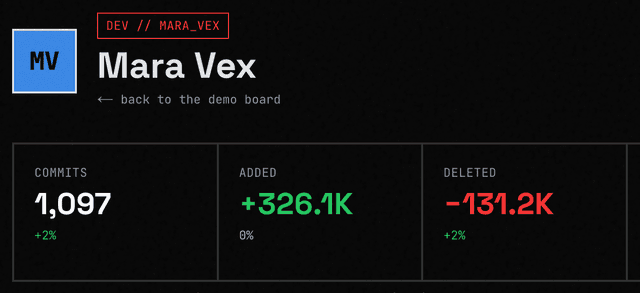
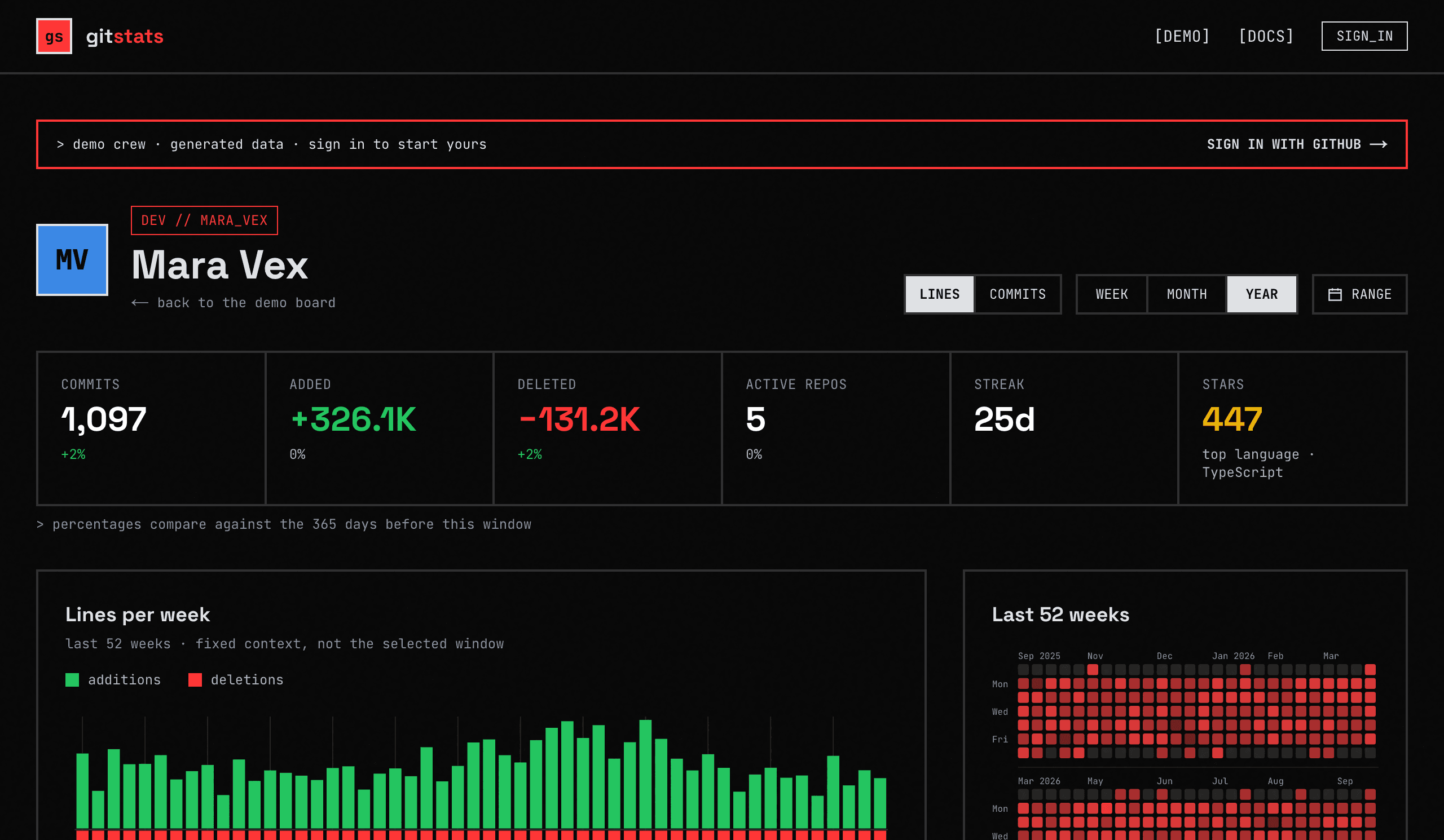
> a demo member's page · generated data, live page · open it
Git stats for friends
A GitHub commit leaderboard for people who like shipping.
a leaderboard for your crew
Everyone signs in with GitHub, joins a crew with an invite code, and gets a row: commits, lines added and deleted, active repos, streak, stars, top language. Week, month, or year.
a page per person
Lines per week as mirrored bars, a 52-week calendar, and the repos you shipped to, with the numbers per repo.
a global board
Everyone who ever signed in, aggregate numbers only. Profiles open only if the person allows it.
private work included
Not through GitHub. Your own machine counts its repos and sends numbers. Work repos too, without your employer being involved.
How it works
Sign in, run one command, compare.
Sign in with GitHub
Public scope only. We learn who you are and never touch your repos. Public activity is snapshotted nightly.
One command, once
Your computer counts its own git repos and uploads weekly numbers. Private and work repos included, no GitHub token.
One board
Crews, global board, per-dev pages. Reads only from Postgres, so it loads instantly.
Count private repo commits without a token
GitHub has no permission that gives out commit numbers without also giving out source. So we never ask GitHub for private repos.
no tokens
The sign-in asks for read:user and user:email, nothing more. Nothing on GitHub can read or write your code on our behalf. (If you would rather not run anything locally, settings takes an optional read-only fine-grained token instead, scoped to repos you pick. It is encrypted at rest and only the nightly job decrypts it.)
numbers only
The CLI sends a keyed hash of each remote URL, a guessed language, per-week and per-day commits / lines added / lines deleted for your commits. Repo names only if you turn them on. No paths, no diffs, no content.
your machine, your rules
It runs as you, reads git history the way git log does, and re-runs daily in the background: a launchd job, a scheduled task or a systemd timer, depending on your OS. It also updates itself from npm once a day; sync --no-update skips that. gitstats pause stops the schedule, gitstats unlink removes it entirely. Revoke a computer on the settings page.
you decide what is shown
Per profile: who can open it, whether private repos count in what others see, and whether repo names are shown or anonymised.
auditable
The CLI and the server are both open source, MIT, so you can check what is sent and what is stored. The CLI is one file, under a thousand lines of TypeScript, with the compiled output committed next to it. Read it, or point a proxy at it. It shows you what it found and asks before the first upload.
One command, once
Run it per computer after signing in. Needs Node.js 18+ and git. It shows what it found and asks before uploading.
> before signing in: npx @yaroslavhaidash/gitstats-cli@latest stats prints your year from this computer and sends nothing
What lands on the board
Commits and lines of code per day, added up by week, month or year.
gitstats vs GitHub's contribution graph
The graph shows that you worked. This shows how much, next to everyone else.
Commits, issues, pull requests and reviews, as squares with no numbers on them.
Commits and lines added and deleted, as numbers you can add up and sort by.
A green square, and only once you turn on private contributions. Never a number.
Counted on your own machine and sent as numbers. No GitHub token, work repos included.
Not shown anywhere. GitHub publishes lines per week, per repo, to the repo's own graphs.
Per day for every repo a linked computer counted, and per week for the rest, marked as such.
One profile at a time, in separate tabs.
A leaderboard: your crew side by side over a week, a month, a year or any range you pick.
Showing your own year on your own profile.
Settling who actually shipped this week, among friends.
Questions
Who is this for?›
Anyone who codes and wants to see it add up: solo builders tracking their own pace, and friend groups competing on one board. Sign in, make or join a crew, or just compare on the global board.
What does GitHub sign-in give you?›
Your login, avatar, and public activity. The scopes are read:user and user:email. We never store the OAuth token and never ask for repo access.
How do private repos get counted?›
You run one command on your computer. It reads your git history like git log does and uploads weekly totals plus commits and lines per day. No names unless you turn them on, never content.
Is it safe to run at work?›
Nothing leaves the machine except numbers under a keyed hash. No code, filenames, branch names, or commit messages. It doesn't touch GitHub at all. The source is public and short.
Why are line counts so big?›
Lockfiles and generated code count as lines, on GitHub and here. Nothing is filtered, because any filter would be a guess.
How fresh is it?›
GitHub public activity: every night at 03:00 UTC. Linked computers: once a day in the background, or whenever you run sync. The page itself reads only the database, so it is always instant.
What can others see?›
You choose, in a small matrix in settings: who can open your page, whether private repos count in what others see, and whether repo names show. Numbers are open by default, names are closed by default: your page is open to everyone signed in, private repos count in both columns, crewmates see the names of public repos and everyone else sees none.
Can I leave?›
Settings → Data. EXPORT hands you every number we hold as JSON; DELETE ACCOUNT wipes your rows, your linked computers and your crew memberships, and signs you out. Run gitstats unlink on your machines to remove the local config too.
What does it cost?›
It's free. No ads, no tracking, no selling anything.
Known limits
default branch only
Contributor stats count commits on the default branch.
only machines you link
Private repos are counted on the computers you link; link each one you commit from.
your git email
Local counting matches commits to the emails in your GitHub profile and git config; add others in the CLI.